Popular Genre of Games You Should Know (Part II)

Posted by Unknown Wednesday, January 30, 2013 0 comments

Strategy

It is genre of game which has game-ply to manage a unit or army to attack enemy station to win the game. Usually in this game, we need to look for gold to defray our army.
There are two sub genres in strategy game:

Real time strategy

In this game, we can control army directly, from resource until destroy the enemy. We can enjoy the show of war on this game.
Game example:
• Warcraft 3


warcraft 3 | real time strategy game


• Command and Conquer

Turn Based Strategy

Its system like Turn Based RPG, but beside you can control prime character; you can control the army and city to win this game.
Turn Based Strategy game example:
• Civilization
Civilization | turn based strategy game

• Medieval Total War
Medieval Total War | turn based strategy game

Simulation

It is a genre which gives realism priority. All of factor in this game was made like real life closely. Simulation genre include; racing game, flight, until military.
Example for simulation game
• Life Simulation 
Life Simulation  | simulation game

• Flight Simulation
Flight Simulation | simulation game

Action Adventure

Action Adventure is a game adventure of one of character with full action until this game the end.
• Assassin's Creed
Assassin's Creed | actioan adventure game

• Batman Arkham Asylum
Batman Arkham Asylum | action adventure game

Arcade

Arcade game is genre of game which not focus in the story, person play it just for fun. Chasing point and get high score is characteristic of this game.
Example:
• Pac Man
Pac Man | arcade game

• Bejeweled
bejeweled | arcade game

Fighting Game

Fighting game is genre of game which the player can take great movement in martial arts when in fight. The fighting genre is usually played one on one in fix area.
• Street Fighter 4
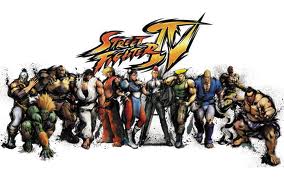
fighting game

• Tekken
tekken | fighting game

Sports

The game system in this genre will different dependent on sport type.
• Tony Hawk
tony hawk | sports game

• PES
pes | sports game

Racing

Just like its name, you can race vehicle and get winner when you get finish earliest. 
Racing game example:
• DIRT
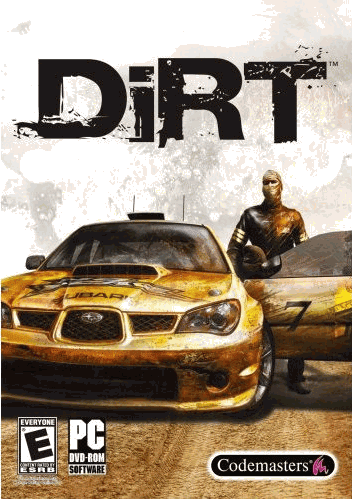
dirt | racing game

• GRID 
grid | racing game


Read more ....

Popular Genre of Games You Should Know (Part I)

Posted by Unknown 0 comments

It is a long time I am not post this blog. So for prefix again, I will introduce you about popular genre of games in pc you should know. Now, check this out:

RPG Game

RPG is one kind of genre of game that have a within it experience element or leveling in its game-play. In this genre, we have a free hand to explore the game. To explore this game, sometimes in some games, we can determine ending of the game.
RPG game is divided become some sub genre:

Action RPG

Like usual RPG, but in this game was given action element, so game is not monotone anymore. We need skill and nimbleness to play it.
Action RPG game for example:
• Mass Effect
mass effect screen shot | RPG Game

• Elder Scroll Oblivion
Elder Scroll Oblivion | RPG Game

Turn Based RPG (TBRPG)

We play this RPG subgenre game like chess or monopoly. We have to wait until we have chance to turn our character.
TBRPG for example:
• The Last Remnant
The Last Remnant | RPG Game

• Heroes

First Person Shooting (FPS)

FPS is shooting game which has principal characteristic is using fir person point of view which make we are in behind the weapon.
FPS game for example:
• Counter Strike
Counter strike | FPS Game

• Call of Duty 4
Call of duty 4 | FPS Game

• Left 4 Dead 2
Left 4 Dead 2 | FPS Game


Role Playing Shooting (RPS)

RPS is new genre game in game world because in RPS we play RPG like FPS
RPS for example:
• Borderlands
Borderlands | RPS Game

• Fallout 3

Third person shooter (TPS)

TPS is game like FPS which has shooting game-play but the point of view in this game is in third person.
• Gears of War

• Lost Planet

Tycoon

Do you want to be businessman? This game will make your dream come true (but just in the game).  You will a businessman in this game and you will develop a property until you get demand from market (of course, just in the game).
Tycoon game example:
• Roller Coaster Tycoon

• Sim City

next part>>


Read more ....

Tips for Buying Good Gaming Desktop

Posted by Unknown Sunday, January 13, 2013 2 comments
gaming desktop buying guide
Actually, buying gaming desktop is not hard at all. But I can say that it is little tricky to do. You have to consider some points to get the right pc, in this case, to buy the right gaming desktop. It is possible to get lucky in buying this thing. If you have knowledge about how to choose and consider in buying it, cheap gaming desktop will you get easily.
In choosing hardware specification, it would be better you know game development which will release in the next year. You can search on internet about product rumors, so the way to get good gaming desktop will closer because you have a vision.

Tips buying good gaming desktop: in choosing VGA

gaming vga


To play 3D game, you need VGA Card that can have high memory and manage high frame per second (fps) also.
You should choose VGA which support directx 11
In addition, you should choose stable and have endurance to heat VGA

Tips buying good gaming desktop: in choosing Processor

processor intel i7


The best processor for gaming desktop is which have high in speed because recent game in market, need high performance processor to handle it.
But, don’t forget that in choosing the right processor, it must be matched with graphic card to get optimum performance. So, in choosing processor, it is dependent from choosing your graphic card.

Tips buying good gaming desktop: in choosing Memory (RAM)

gaming ram

Choosing memory is also important in buying good gaming desktop. Tip for you in RAM section, maximize in using memory slot in your computer and you should sure that planted RAM has same size. If there are two memory slots, you should be planted two 2GB RAMs on it. It will be greater than you use just one slot with 4GB RAM.

Tips buying good gaming desktop: in choosing Hard disk

500GB in hard disk is the minimal resource for gamer. You can add size of your hard disk if you need it. More size more good.
For your notice, you should choose matching hard disk with your motherboard specification. You don’t want buy the wrong hard disk for your computer, do you?

Tips buying good gaming desktop: other components

Wide screen monitor, speaker surround, gamepad or joysticks are absolute components that must be had for gamer.
Choose monitor which have high resolution to handle your big game collection.
For comforting in playing game experience, choose ergonomic joystick. It will make you more comfort.
For supporting planted hardware, you need power supply. Choose the high quality power supply to handle hardware in your gaming computer.
That’s all I know how to get the good gaming desktop. If you have more ideas you can share it in comment below. Thank you.

Read more ....
Cheap Gaming Desktop Review: Dell Inspiron i660-5030BK Desktop (Black)

Posted by Unknown Monday, November 26, 2012 0 comments


Dell Inspiron i660-5030BK Desktop (Black) ~ cheap gaming desktop

When you were looking for cheap gaming desktop, I think you should check Dell Inspiron i660-5030BK Desktop. Although it is older version than Dell Inspiron i660-3036BK, but this desktop seems still a good option for you. And now, after newer product had been created by dell vendor, we definitely believe that the price of this Inspiron i660 is lower than when it launched. So, with cheap price tag now it has, this dell desktop was getting more interestingdeals.

Features of Dell Inspiron i660-5030BK Desktop


  • Operating system: Windows® 7 Home Premium, 64-bit
  • Processor: 2nd Gen Intel® Core™ i5-2320 (3.0 GHz)
  • Memory (RAM): 8GB DDR3 SDRAM
    Dell Inspiron i660-5030BK Desktop (Black) ~ cheap gaming desktop
  • Storage (hard drive): 1TB SATA (7200RPM), 3.5"
  • Optical drive: 16x DVD+RW
  • Video graphics: Intel® HD Graphics
  • Media card reader: 8-in-1
  • Audio: Integrated 5.1 Audio
  • Preinstalled software: Microsoft® Office Starter 2010, McAfee® SecurityCenter (30-day trial), Dell™ Stage Software
  • Included hardware: Dell USB keyboard and USB optical mouse
  • Read more details
Dell Inspiron i660-5030BK Desktop (Black) ~ cheap gaming desktopYou can connect your any card reader type in this cheap gaming desktop computer. Dell Inspiron i660-5030BK Desktop can support you with its 8-in-1 media card reader, four USB 3.0 ports, and HDMI for cameras, mp3 players, printers and other peripherals and accessories is quickly and easily.
Bringing Intel 2nd Gen Core i5-2320 on its processor, this cheap gaming desktop become great in its performance. Intel Core i5 deliver you to get faster for your work. It was making possible to get amazing computational processing and multitasking quickly.
Dell Inspiron i660-5030BK Desktop (Black) ~ cheap gaming desktopCombination of 8GB on DDR3 SDRAM and Windows 7 Home Premium 64-bit is matching for this desktop because as we know that Windows 7 Home Premium 64-bit is get best performance when supply of the RAM is more than 4GB in size.
You can burn easily with 16x DVD+RW which had been completed for Dell Inspiron i660-5030BK Desktop. Share your multimedia with burning DVD from this desktop easily.
To supporting about viewing and editing video, this Dell desktop had been given Intel® HD Graphics for standard HD video display. You can upgrade video graphics to get more quality video display.
It is really interesting when 1TB SATA (7200RPM) will support you to get huge storage stuff. So, you can save a lot of digital media of this hard drive.

Read more ....

Important Software that You Must Install on Your Computer

Posted by Unknown 1 comments

computer softwares ~ cheap gaming desktop
In fact, after you reinstall your computer or you just buy a computer, maybe you confuse about choosing software to install on your computer. This article maybe gives you consideration about software which will beinstalled on your computer.

Motherboard Driver

After you had been installed operating system. Firstly, you should install after that is motherboard driver. Installing motherboard driver is important to get optimum motherboard using.

Antivirus

antivirus softwares ~ cheap gaming desktop
This is important for you. If you don’t install it, you don’t have security system on your computer and it can destroy your computer system. This is one reason why your computer getting slow. So, before it happens, make sure your computer had been installed by antivirus.
Office
This is also important software you should have. Sometimes you or your friend need to process with office application like documents, presentations, statistic, etc. Recently, there are two office applications you can use. Paid version (like Microsoft office) or free version (Open office)

Browser

browser softwares ~ cheap gaming desktop
Now, internet is important to get reference and knowledge you want to know. Sometimes information in internet is more up-to-date than TV. Browser software can facilitate you to surf the web and get information in internet easily.

Compression

The other important software is compression application. If you download files on internet, sometimes that file had been compressed. To open it, you must have compression application. For example about compression software is such as: WinZip, 7Zip, WinRar, etc.

PDF Reader

You also should have PDF reader. This application is used to open file with *.pdf format extension. You can install Adobe Acrobat Reader, Foxit Reader, Nitro PDF, etc to read PDF files.

The Other Software You Should Have

With that five software on above, your computer actually is already be used correctly. It is standard software you should have. But to maximize computer using, this is additional software to complete it.

Download Manager

This software is great to manage and maximize download speed. With this software, a shortage of browser software can be covered. Actually, browser software can use to download files on internet but, the speed to download is resentful. Internet Download Manager (IDM) is the one recommended software I suggest for you. Although there are many download manager software you can use but, still IDM is greater for me, maybe for you too.

Media Player

Do you like playing music and video? You need media player software to facilitate it. There is default media player if you use Windows as you operating system. It is Windows Media Player. But, I like to add media player with other software like Jet Audio or other. Sometimes default media player can’t cover some audio or video format. To fix this problem, adding other media player software is the one good option.

Utility

For long time, in fact, your computer will become slow. There is a reason why it happens. With utility, you can clean junk files in your computer and get performance than before. Use utility software like TuneUp Utility, CCleaner or other utility software to make your computer better.

Other Software


Are you gamer, designer, blogger? Use the other software as match you need. If you are designer, Adobe Master Collection still the best choice for you, or 3Ds Max if your 3D designer. If you are blogger, I can sure that you are not strange about market samurai, windows live writer software. They are good stuff for blogger. If you are gamer, there are many games you can install on your computer to release your gaming soul in yourself.

Read more ....

7 Basics Knowledge about Computer You Should Know

Posted by Unknown 0 comments

computer knowledge ~ cheap gaming desktop
When your computer was troubleshooting, and then you call your friend or technician, may be you think, “If I can fix this self, I don’t need to call them but, how to learn about computer? Where should I start to learn?”
Is that your problem?
If it is, I can say that you should know about basic computer knowledge. And in this article, there are 7 basics knowledge about computer that I recommended to you to learn firstly.

Hardware Knowledge

hardware knowledge ~ cheap gaming desktop
You should to know about specification about your computer you have. Actually, you not necessary to know about details hardware. Just knowing about function some features like processor, RAM, hard drive, video card, keyboard, mouse, monitor, etc. By knowing that stuff, it is enough for you.

Desktop Knowledge

What is desktop in this case? If you were turning on your computer, you will show desktop. It is good if you know about desktop basic functions.
There are a lot of tips and tricks about desktop to get easy for your work, such as: making shortcut, pinned programs, managing your tray icon, maximize start menu functions (can’t be applied in windows 8), etc.
I can sure that it is helped stuff if you know about desktop knowledge.

Software Knowledge

software knowledge ~ cheap gaming desktop
At this point, you need to know basic steps about using software. This its basic steps is such as running an application, making new documents, opening documents, saving, printing, etc.
It will be very usable if you know about installing and uninstalling software. These things are usually to be ignored by novice user.

Computer Maintenance Knowledge

Although you use computer correctly, there are some times your computer getting slow. There are many reasons why your computer get slow. Because of that, you should to know how to maintenance computer. At least, you know about system maintenance.
To hardware maintenance, I suggest you to do this carefully. Or, if you hesitant, you should deliver this job for computer technician. If you are not correctly about doing hardware maintenance, maybe your hardware can break. Just remember it; the hardware price is not always inexpensive.

Tweaking Knowledge

Although you have already maintenance your computer routinely but, your computer still getting slow, you can do this step.
With tweaking, your computer power can be increased and manageable as you want.
For tweaking, you can do something like this: changing theme, audio, screen resolution, and you can be tweaking till more advance setting.

Computer Virus Knowledge

Whenever happen it, your computer must be will meet the virus. Because of that, you have to have knowledge about antivirus. You should choose the right antivirus for your computer. Don’t use sophisticated antivirus but, you don’t know how to use it.

Troubleshooting Knowledge

When your computer error, you should be can fix it. At least, what the error happen is which always happen on your computer.
If this happen, don’t soon bring your computer in service center. You can try by yourself to fix it, try to think creatively, finding where the problem is happen. And then you think what related thing with that part. Continue doing this until you get the main problem.
After that, you can be looking for the solution. For searching the solution, you can use internet, so do I. if in internet you can’t find the solution, maybe you should go with service center. Try to fix this self, if you can’t, then you may ask to help other person.

Read more ....

Cheap Gaming Review: Dell Inspiron 660s i660s-3848BK Desktop

Posted by Unknown Monday, November 19, 2012 1 comments

Dell Inspiron 660s i660s-3848BK Desktop ~ cheap gaming desktop

The big vendor in hardware technology in USA, Dell, had been created cheap gaming desktop entry-level. It is Dell Inspiron 660s i660s-3848BK Desktop. It is very reasonable when this desktop with good performance was given under 400$ in price tag. You can save more money if you buy this desktop or use your monthly budget for other stuff.

Dell Inspiron 660s i660s-3848BK Desktop’s Features

Dell Inspiron 660s i660s-3848BK Desktop ~ cheap gaming desktop
  • Processor: Intel® Pentium® G645 (2.90 GHz, 3MB Cache)
  • Operating system: Windows® 8 Home (English), 64-bit
  • Memory (RAM): 4GB DDR3 SDRAM (1600 MHz)
  • Storage (hard drive): 500GB SATA (7200 RPM), 3.5"
  • Optical drive: Tray Load Drive, 16x DVD+RW
  • Video graphics: Integrated Intel® HD Graphics
  • Media card reader: 8-in-1
  • Audio: Integrated 5.1 audio
  • Preinstalled software: McAfee® SecurityCenter (30-day trial), CMS - Cyberlink Media Suite Essentials
  • Included hardware: Dell USB keyboard and USB optical mouse (wired)

It is fair when Intel Pentium G645 processor (2.90 GHz) had been used in this cheap gaming desktop to do computational things. Standard performance already you had with this desktop.
To supply better performance, this Dell desktop had been supplied by 4GB DDR3. I think it is good to prop up processor performance.
With that features, I am sure that you can imagine that this desktop is good for game with low until middle quality. For your consideration, if you want get more affordable than Dell Inspiron 660s i660s-3848BKDesktop, you can check Dell Inspironi660s-2308BK Desktop (Black). Or, if you want better performance I will recommend you Dell Inspiron i660-3036BK Desktop. Of course, you have to more budget to buy it. But, I think Dell vendor had been given price tag in its desktop fairly.

Read more ....

Cheap Gaming Desktop: HP Pavilion p7-1210 Desktop

Posted by Unknown 1 comments

HP Pavilion p7-1210 Desktop ~ cheap gaming desktop
One of HP Pavilion P series I want review for you is HP Pavilion p7-1210 Desktop. This cheap gaming desktop will bring you to get more dashing experience. Why not? With this stuff, you can go with your multitasking easily and get work done in few times without significant constraint. So, get better performance and work more efficiently with HP Pavilion p7-1210 Desktop.

HP Pavilion p7-1210 Desktop’s Features

AMD Quad-Core A6-3620 Accelerated Processor had been turned on this cheap gaming desktop computer which can make the best performance of this P7. And to complete performance, this desktop had been embedded 6GB PC3-10600 DDR3 6GB PC3-10600 DDR3.
HP Pavilion p7-1210 Desktop ~ cheap gaming desktopYou are not necessarily worry about video quality graph because AMD Radeon™ HD 6530D integrated graphics will fulfill your wish about cheap gaming desktop with perfect video graph. And for you know, this video graphic offers you up to 4089MB Total Available Graphics Memory as allocated by Windows® 7.
You can save many files in this computer because 1TB (7200RPM) SATA will facilitate you to get huge storage of this desktop computer.
HP Pavilion p7-1210 Desktop ~ cheap gaming desktopConnect your another gadget or computer network easily with Integrated Bluetooth® and Wireless LAN 802.11. You can share your multimedia or another file without difficult with its Bluetooth and wireless. Get your sharing digital media easier than ever.
Charming first sight will you fell when see HP Pavilion p7-1210 Desktop because it has glossy black design. Charming looking, isn’t it? And not only charming, but this HP P7 with dimension 20.55 x 19.61 x 10.31 inches also has style, compact, and functional design. I can say that this computer is everything you need for a great price

You should know that this HP computer offers you great desktop performance with interesting price. So, what are you waiting for to get great cheap gaming desktop in your home?

Read more ....

Tips on Buying the Right PC (Part II)

Posted by Unknown Tuesday, November 13, 2012 0 comments
<<previous | Tips on Buying the Right PC (Part I)

Tip three: Choose the Right Time

Tips on Buying the Right PC (Part II) ~ cheap gaming desktopIf no urgent need for the use of a PC, these tips are worth noting. The rapid technological hardware and software developments sometimes make people who lay on the technology to be confusion. PC hardware developments each month either change any new hardware or hardware that complements the previous hardware. This seems to hurt as a buyer, because if buy this month, a few months later the buyer had out of date PC technology. That assumption is not necessarily right because to adapt to evolving technologies, just upgrading one component / multiple components only and should not to upgrade all of the components. In addition, with the rapid growth actually benefit us, because when new products come out, previous products prices will go down. Although the old product in fact still be used to run applications for the next few years despite all the advantages that are not fully owned by the software we will be able to enjoy.
Ultimately, as a buyer, you must carefully and thoroughly observe the development of the price, if at the time the price drops, that's where our opportunity to get a quality hardware.

Tips Fourth: Searching Information About Hardware and Software Development

Tips on Buying the Right PC (Part II) ~ cheap gaming desktop
The fourth tip is searching information on the hardware and software developed in the present and the future. This information can be gotten in computer magazines, computer sellers, and internet.
The Internet is the easiest alternative, inexpensive for getting complete information. You can rely on search engines like Yahoo and Google. By typing in what you want to know, then link the information you need will be instantly displayed.
Actually these four tips are the most important tips after determining the needs and budgets we have. We can instantly find about the hardware of our choice. In addition, when the prices go down and up can be used to determine the right time to buy a PC.
By knowing the complete information and make comparisons to some of the hardware, make sure that you would not be wrong. The point we have to recognize that it takes to get something accurate, relevant and timely.

Read more ....

Cheap Gaming Desktop Review Today: Dell Inspiron 660s i660s-3848BK Desktop

Posted by Unknown 0 comments

Dell Inspiron 660s i660s-3848BK Desktop | cheap gaming desktop
Dell presents their cheap gaming desktop entry-level. It is Dell Inspiron 660s i660s-3848BK Desktop. For targeting low-class budget category, this desktop is priced no more than 400$. That price is very reasonable for a desktop with performance which decent to thumb up. I think this desktop Dell is aimed for office desktop or for college student to help their tasks.

Dell Inspiron 660s i660s-3848BK Desktop’s Features:


Dell Inspiron 660s i660s-3848BK Desktop | cheap gaming desktop
  • Processor: Intel® Pentium® G645 (2.90 GHz, 3MB Cache)
  • Operating system: Windows® 8 Home (English), 64-bit
  • Memory (RAM): 4GB DDR3 SDRAM (1600 MHz)
  • Storage (hard drive): 500GB SATA (7200 RPM), 3.5"
  • Optical drive: Tray Load Drive, 16x DVD+RW
  • Video graphics: Integrated Intel® HD Graphics
  • Media card reader: 8-in-1
  • Audio: Integrated 5.1 audio
  • Preinstalled software: McAfee® SecurityCenter (30-day trial), CMS - Cyberlink Media Suite Essentials
  • Included hardware: Dell USB keyboard and USB optical mouse (wired)

You can search more about Dell Inspiron 660s i660s-3848BK byclick here.


For gaming experience, this desktop can be reliable enough for a mid-level gaming category. I rather not recommend this cheap gaming desktop for a game that really requires a level of computation and execution exceeds the performance of this desktop.
One way to overcome this problem is you should increase the budget to purchase a cheap computer gaming desktop to another example: Dell Inspiron i660-3036BK Desktop. Desktop is more I recommend if you want to have a Dell desktop with a dazzling performance. Or you still can buy this cheap gaming desktop but you should upgrade it to get better performance of Dell Inspiron 660s i660s-3848BK.

Read more ....